Showing posts with label HOTS & LOTS. Show all posts

Monday, 1 May 2017

ICT Teaching Resources | Class report

Dear classmates, 
I'm Anna Alcázar and I would like to share with you the class report of our last ICT lesson.
How can we take advantage of ICT resources in order to improve language skills?
Last lesson with Aoife Garry was pursuing an answer to this question. However, before going further with listening, speaking, reading and writing, we had a moment to reflect about the role of the teacher and ICT and, after watching a video about the 21st century skills (known as the 4 C's of Education), we led to the conclusion that there are skills such as High Order Skills of Bloom’s Taxonomy (Evaluation, Creation and Analysis) that can not be learned just by checking information. Consequently, the teacher should take advantage of ICT resources in order to teach processing skills and avoid a transmissionist approach.


Thursday, 26 May 2016

Show Me, this is what you are looking for!

Hi everybody!


I’m Marta. In this post I would like to share with you a useful educational tool, called ShowMe, that allow users to record their voice as well as write text, draw or add some pictures or videos in order to explain some content. This app is available in Ipad and can be used by anybody who want to, no matter the age. ShowMe Interactive Whiteboard is an easy and effective tool for step-by-step audiovisual presenting and sharing. The visual/auditory combination of a ShowMe is engaging to watch as well as create. This app is also useful to help children organize the information in a sensible order as well as develop good presentation skills in a collaborative context. In addition, children can share their projects with the educational community and take advantage of other user’s explanations.

How to use ShowMe? Here you have a presentation that explains it in detail.


What is ShowMe? from ShowMe App


Features (taken from the Apple website)


  • Voice-record
  • Multiple brush colors
  • Enter text
  • Pause and erase
  • Import pictures from your photo library, built-in camera, or web image search
  • Import documents as pictures from dropbox, or google drive
  • Create video from any document
  • Unlimited lesson length
  • Free to upload and share your recordings with friends
  • Easy embedding for sharing anywhere
  • Manage students with groups


ACTIVITY

Target audience: 5th grade

Placement in curriculum: Science (CLIL)

School course: Second semester
Bloom’s Digital Taxonomy: This activity offers an opportunity to enhance both lower- and higher-order thinking skills.
Lower order thinking skills.
  • Level III: Applying (using the knowledge in a variety of ways): This activity provides an opportunity to apply, use and practice the content vocabulary in meaningful context:  a short speech (presentation)
Higher order thinking skills.
  • Level VI: Creating (create new products or points of view). The activity gives the students the opportunity to create a piece of oral presentation about how the respiratory system works.
Aims:
  • To be able to use ShowMe app.
  • To be able to identify and summarize the main contents related to the respiratory system.
  • To be able to work in cooperative groups.

Competences involved:

  • Linguistic and audio-visual: because pupils have to create a presentation while drawing and explaining different concepts. In this case, drawings are useful to improve the comprehension.
  • Information handling and digital competence: in order to do the task, they have to interact and know the app to use it.
  • Autonomy, initiative and decision taking: because they are creating a tool that enables their classmates to watch a video-presentation done by themselves. If they are able to do it properly, it means children have understood the concept and are able to explain something in their own words.
  • Social and civic: because children have to work in pairs and listen to their partner’s suggestion. This is not about one child doing everything but it involves reaching an agreement about what they want to show.
  • Knowledge and interaction with the world: this activity will be about the respiratory system and how it works so the majority of the concepts go around scientific


Grouping: This activity will be carried out in pairs (explained in the procedure).

Procedure of the activity:

First of all, I will explain to students how ShowMe app works and the elements they can find in the toolbar.  

In pairs, students will summarize and present, by using ShowMe, the main contents related to the respiratory system through a recording of about one minute. Each pair will be in charge of a different topic (parts of the circulatory system, how it works, common diseases, healthy habits to take care of it, curiosities, etc.).
First, both students of the pair will identify and write in a draft the information that they want to share through the presentation. When they finish, the teacher will check their rough draft and will give them a feedback (weaknesses and improvements).
Then, they will record the presentation, including the advices from the teacher. Each member of the pair will be responsible for recording one part of the presentation.
Finally, each pair will present their presentation to their other groups of the class, so they will review the circulatory system contents.

An example of recording could be the following:


Materials required

  • Ipads (one per pair).
  • Paper and pen if they want to do a draft before recording the presentation.


Class management

Following the tips that I have learnt in the ICT lessons, I would ask students to set Ipad aside when they didn’t need them to avoid classroom management problems. When I am giving them the instructions of the activity, I would say “Ipads facing at me”, so I could make sure that they pay attention to what I am saying and don’t get distracted. Moreover, I would assign some students to be Experts TIC, responsibles for giving support to me or to their classmates if in case we need some help.
When they are doing the recording in pairs, the teacher will walk around the classroom, checking that students are doing the task proposed and observing their needs in order to help them whenever it is necessary. We believe that it is always important for the teacher to have used the app before and have tried to create a game to foresee the problems that can arise.
In case that students would need a quiet atmosphere to record their presentation, they will have the opportunity to go to another classroom just to record it and then come back to the main classroom.

Added value through ICT

  • Visual support, engaging tool.
  • It involves a challenge (summarizing contents, identifying the key ideas, cooperating,…)
  • ShowMe it’s ideal for reviewing content, assessing children and make them connect all the topics learnt through the unit in a more motivational way (not only making them memorise it and write it down.)
  • Develop digital competence as well as linguistic and audiovisual.
  • The recordings can be shared with each other and they can open it in any device.
  • The recordings remain always kept and available to review, use or edit them.

Trouble-shooting

  • One possible problem could be that, perhaps, student’s speech in the video is not clear or understandable enough. For that, I will let it clear beforehand that they have to speak loud and pronunciation.
  • Another problem foreseen could be that students spend too much time recording their presentation, doing and redoing it again and again. To avoid that, I will limit the time that they can spend making the presentation (30 minutes maxim).

4 skills involved

Reading: Children will be able to read some keywords that will appear in the presentation.
Listening: Children need to listen actively the presentations made by their classmates.
Writing: Children will write and draw the main contents to support their speech.
Speaking: Children need to explain the key concepts fluently and taking into account the pronunciation.


Assessment:

The teacher will assess if the aims of the activity are fulfilled taking into account the following assessment criteria:

0) needs improvement; 1) fair; 2) good; 3) excellent

To be able to use ShowMe app

0
1
2
3
Is he/she able to record his/her voice explaining the content?


Is he/she able to draw?


Is he/she able to erase his/her drawings?


Is he/she able to change the colour of the digital pencil?


Is he /she able to paste images in the presentation?


Is he/she able to enlarge and reduce the images?


Is he/she able to delete an image?


Is he/she able to share with the rest of the class his/her ShowMe record?


Is he/she able to save his/her ShowMe record?


To be able to summarize and present the key contents of the lesson
Is he/she able to identify the keywords of his/her topic?


Is he/she able to summarize the information?


Is he/she able to summarize the contents using appropriate grammar structures?


Is he/she able to express his/her ideas in a clear way?


Is he/she able to listen actively to the other group’s presentations?


To be able to work in cooperative groups
Is he/she able to listen actively to his/her partner’s ideas?


Is he/she able to respect his/her turn to record his/her part of the presentation? (each member of the pair records on part of the presentation).


Wednesday, 25 May 2016

Kahoot!


Creation of a game with Kahoot


Name:Laura Carrillo and Elena Joaquin
Level: 3rd grade, 20 students working in pairs with tablets.
Curriculum: CLIL
Topic: Food and going to the restaurant
Skills: Reading and vocabulary
Classroom management: Two kids in charge of going around and helping the others to go into kahoot (experts).
Type of activity: Task based activity, learn by doing
Material: PDI and Ipads.


We have created a vocabulary game with kahoot. Kahoot is a useful tool to create games by yourself or as a resource to look for them. Once you create a game, kahoot provides you with a code which kids will have to introduce and they will have access to the game.


To create a game in kahoot is very easy. You need to register and you can start!


https://getkahoot.com


This is the result of our game. You can always edit things and add songs whilst playing! It is very engaging and motivating for the kids. As you can see, you can also manage the time you want the kids to answer the questions, the number of options to answer and you can display the answers while doing or editing the game:


The vocabulary presented in the game has been previously worked in class in order to do a roleplay of a restaurant at the end of the project. The game is accompanied with pictures so that it helps to identify and relate contents. It is related to a the restaurant context where kids need to decide which option is the correct one between four different ones.


According to Bloom’s taxonomy this activity requires remembering and applying so that afterwards they can produce the language in a real situation (roleplay). This activity is going from LOTS to HOTS because it is a simple game of vocabulary but it becomes more difficult because kids need to learn not only the vocabulary but also the structures that will be presented in the following session (scaffolding).


The activity will be held with tablets and it will be shown on the interactive whiteboard so that everybody can follow. The questions are going to the displayed on the PDI and the kids will mark their answer on the ipad. It will be done in pairs for the first time so that they get familiar to kahoot and next sessions we will carry out an individual assesment with a different game but the same content. 


The teacher, though, will know the results of the pairs because kahoot shows inmediately the marking so it is a quick way to assess your students in a motivating and fun way.


It is useful to have two kids helping when starting the activity. They will show the others the steps to go into kahoot, otherwise it becomes messy. Also make sure all the Ipads have battery and they work properly so that you can avoid any surprise or problem.


Hope it is useful and you can apply it in your classrooms! ;) 

Thursday, 18 June 2015

Apps in Primary school

Even I couldn't assist to the last session of this subject, I have been very interested in the sessions focused on the Ipads because it is a topic that our school does not work very hard at the moment.


Having Ipads in the classroom is a wide chance of resources where learning is integrated and the process of teaching and learning becomes more effective. 


As I said before, I do not work with ipads at the moment in the classroom but there were some special situations during the year where students have had the opportunity to use the ipad for final projects. 


One of these situations was the second trip of our project Erasmus +. Every year, students have the opportunity to visit a partnerschool in a different country and spend a week with native English speakers sharing culture and language besides adventures and experiences. 

When we were back from the trip, students wanted to show to the rest of the students what they visited, what they learnt, their new friends, the place where they stayed... 


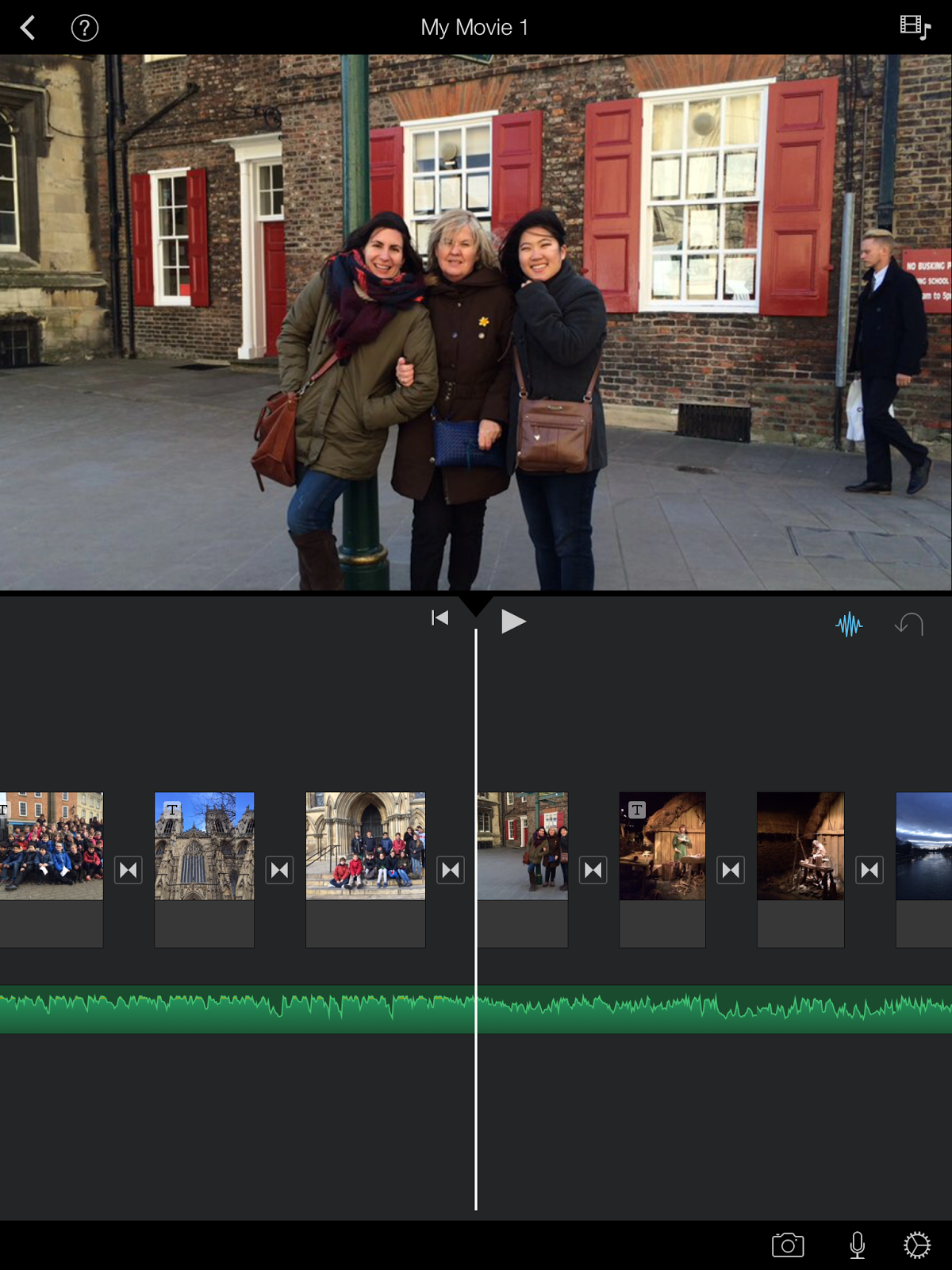
Imovie was an amazing tool because students could create their own project and share it with everybody via several platforms. 

The main idea was to choose what they wanted to share, organize it, illustrate it, design, write... and Imovie was an appropriate resource for our aims. 
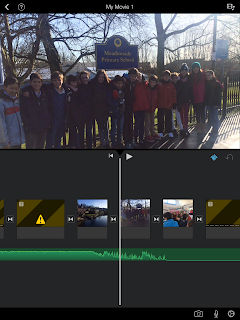


Certainly, fhe fact of using Imovie was the right choice because it was easy for the students to understand how it works, to use it and to achieve the aims teachers decided.


 Watch video

Regarding to Bloom's Taxonomy, this activity is related to Higher order thinking skills (HOTS) where students have to analyse, evaluate and create a final outcome taking into consideration their own experience and their feelings. The fact to show the final product to the rest of class and to their families and friends, made the project interesting and motivating. 


On the other hand, I would like to consider iDoceo as a very useful tool for teachers. 


Instead of carrying a notebook, iDoceo makes it easy to assess pupils and have access to a register of all the notes, labels and marks. Apart, iDoceo has different options with different purposes useful for teachers as summary (look for students, personal details, diary annotations, notes, comments, resources...), gradebook (assessment), a diary, notes, a setting plan and a pinboard. 


I have been using iDoceo this year and I have seen a big change. The fact that I like the most is that children can help me during the assessment because they love iPads and they love using them.

Friday, 12 June 2015

CREATE A SPECIAL GIFT!

Hello girls!

Here is my last blog entry! This time, I’m going to present one activity that I’ve designed with one of the resources we discovered at the beginning of the subject with Yolanda Scott-Tennent. In those sessions, in order to do some research on interesting ICT resources & tools and to re-think the way we use them we were asked to do a task. It consisted in choosing a content topic of the English Classroom and presenting some resources explaining how they could be used. I chose “Describing people” as my topic and I shared with my classmates some ideas of how to use different tools such a video, an online board game, a Snake and ladders board creator, a video quiz with Educaplay.com and a Hot Potatoes activity. But the one I’m going to share with you in this entry is a WORLD CLOUD CREATOR named TAGUL. Below is the explanation of the activity, which I’ve entitled as “Create a special gift!”

We are in Year 5, it is a group of 24 students who have quite a good level of English. They do two hours of English per week plus another hour of Science (CLIL).

Christmas is getting closer and we have been working on the topic “Describing people” during the previous sessions. We have worked the basic structures to describe (“He/She is” & “He/she has got”), vocabulary related to physical appearance and to personality and comparatives and superlatives. But with this activity, the goal is to expand this vocabulary in a more meaningful and motivating way for the students.

The activity basically consists in creating a world cloud with adjectives. It would be the closing activity of the unit. As a Christmas present students will have to choose someone they love, to look for different adjectives to describe this person and create a special and personalized word cloud. 

First, students will have to create each one a list of adjectives to describe the person they choose, they should use some of the words they already now and also they must add some new using the dictionary. Then, after each student has its list, all together we will share and pool the new words that they have come up with creating a Popplet with the IWB of the classroom (interacting and creating it in a collaborative way). So we are creating a vocabulary bank to which everybody can have access. 
This is a good way to expand vocabulary because it comes from the students'need. Moreover, when asking them to share the new words they have learnt they are creating something together that can be useful to everybody, which adds a meaning to the whole process. If we want it the Popplet could be printed and hung on the wall of the class. 

This could be an example of the Popplet: 


Then, using the computers room of the school, students will have to create a world cloud with their adjectives with the tool Tagul. They can choose the shape and colours which best represent the person they are describing. Finally, they will have to send it by email to that person, writing a short Christmas greeting.
With this activity we are taking into account the affective part of our students, since they are creating something for someone they love. In addition, presenting them the creation of this world cloud as a final result makes all the process of looking for the words more motivating.

These could be some examples of the world clouds:


Finally, each student will present briefly its creation with the help of some scaffold language (i.e. “My _________ is ________ because__________” / I love my ________ because he/she always ___________. He/she is very ______________). This oral part will be also used to assess the students. To assess the oral presentation we can use a rubric. 


Regarding Bloom's Digital Taxonomy, the activity can be classified primarily as a LOT, but also includes a small creative process, so you could say it is too a HOT. Firstly, when listing the vocabulary and creating the mindmap all together they are remembering and understanding, and they are also applying their ICT skills both when using Popplet and Tagul. And secondly, as the world cloud is a personal creation that they have to design, it inlcudes some creation.  


Why is it approppiate to use these ICT resources and what ICT contributes to the activity?

Well, first I must say that I strongly believe that the use of ICT make the children more involved and increase effectiveness of learning. In this case, the use of Popplet makes everyone feel involved and participant of the learning of all the group, so it can increase students' confidence and motivation. Then, the use of Tagul makes children assume greater responsability for their own learning and makes the outcome of they effort appear in a funny, visual and beautiful way. The combination of the two activities, also enables us to work both collaboratively (creating Popplet with the participation of all) as well as individually.

Useful advice

Unfortunately I haven't been able to realize this activity in a real context, but if you would like to carry out it, you should take into account some possible problems you may encounter. 
For instance, one possibility could be that when you ask them to share the new words, there are many that are repeated. In that case, you could ask questions about their family and friends, prompting new adjectives to look for the meaning.
Also you should bear in mind that you will have to give them some basic instructions before starting using Tagul. It's true that they are digital natives and some of them can get how to use it in few minutes, but it is always better to provide the informtacion needed and make clear what you expect from them.


Now you are ready to go to your classrooms and carry out this activity! I hope you like it and do not hesitate to ask if you have any doubt or want some more specific information.

It has been a pleasure to share ideas and learn form all of you.
Thank you!!!

XXX

Andrea Malagarriga