Saturday, 13 May 2017

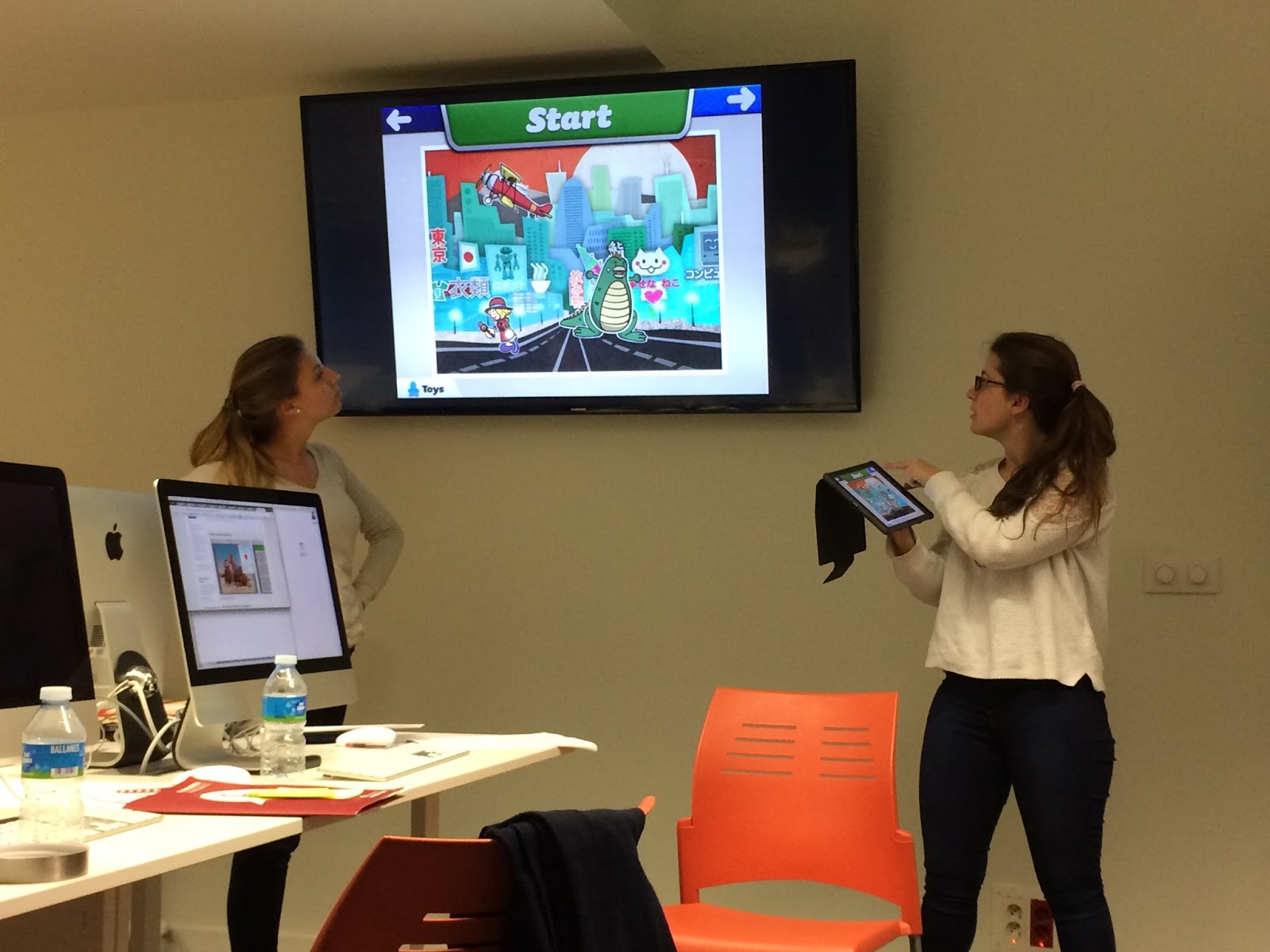
Session 7. Integration of the work with iPads in the class II

Dear classmates,

I am Mireia Núñez. In the following lines I aim to report our last ICT class (Integration of the work with iPads in the class II).


Friday, 5 May 2017

POLLlNATION PROCESS WITH TABLET


Hi everyone!
We are Edurne Lafuente, Joan Domènech and Marta Jaumot. You might know us from the other projects that we have done in the past such as the one about Roman Civilization. Now we are going to present you another activity which involves using the tablet in class with your students.
As we have said before, tablets are a great tool to engage students in the learning process. Of course, the activity discussed here can also be used with a different topic.
The activity that we have designed is suitable for all ages in primary, as long as you adapt the topic and aims to the age group that you are working with.

Thursday, 4 May 2017

Great Ipad Activity!!!!!

Hello everybody, we are Anna, Gemma and Paula, we have a great Ipad activity to share with you! Hope you like it! 😆

TOPIC

Let’s go to the dentist

CONTEXT

·        This session is intended for students of first grade of primary

CONTENT OBJECTIVES

1.    Correct use of Ipad
2.    Work in collaborative groups and solve activities
3.    Participate in activities that require critical thinking.
4.    Participate in activities requiring ICT knowledge.

Monday, 1 May 2017

ICT Teaching Resources | Class report

Dear classmates, 
I'm Anna Alcázar and I would like to share with you the class report of our last ICT lesson.
How can we take advantage of ICT resources in order to improve language skills?
Last lesson with Aoife Garry was pursuing an answer to this question. However, before going further with listening, speaking, reading and writing, we had a moment to reflect about the role of the teacher and ICT and, after watching a video about the 21st century skills (known as the 4 C's of Education), we led to the conclusion that there are skills such as High Order Skills of Bloom’s Taxonomy (Evaluation, Creation and Analysis) that can not be learned just by checking information. Consequently, the teacher should take advantage of ICT resources in order to teach processing skills and avoid a transmissionist approach.


Sunday, 23 April 2017

USING SKYPE IN CLASS

Hi everyone, we are Anna Molina and Edurne Lafuente. We want to share with you our project about Skype.

Enjoy!! :)

USING SKYPE IN CLASS

CONTEXT:

A new student has arrived at school, in order to embrace him in the new environment, the teacher will contact with the old school (India) of this student. To make children aware of similarities and differences of people lives living in different countries.

AGE GROUP: 5th grade of primary

LEARNING OBJECTIVES:

-       -   To use in context the comparatives and superlatives.
-       -  To learn new vocabulary from the target language.
-       -  To respect other cultures.

PRETASK:

In order students learn some things about the old school (India) of the new boy, they will prepare a little interview about it. They would ask the students from the Indian school, through the Skype, topics like:

-          Weather
-          Cultural monuments
-          Educational system (Routines, Languages that they learn at the school)
-          Traditional food
-          Festivities

The teacher will help the students to formulate all these questions with the proper structure.

TASK:

This will be completely a speaking activity. First of all, the group class will be divided into groups of 4, each group will have a role (Reporters, Cameras, Writers (Relevant Points), Explainers (They will explain to the Indian school the traditions and educative system they have at Barcelona, using as a support pictures & Videos (Ipad))

Jenny Sue Kostecki-Shaw  (2011) Same, same but different 

POST- TASK:


In this activity, students will have to review the interview with the Indian school, recorded by the students, as well as their notes, and they will have to create a display (see Picture 1) comparing the two cities (India and Barcelona). To close the activity the teacher will read a storybook: Same, same but different[1].

Finally, after reading the book, they will have a little debate to be conscious of the differences and similarities of all different cultures around the
world.

[1] Elliot lives in America, and Kailash lives in India. They are pen pals. By exchanging letters and pictures, they learn that they both love to climb trees, have pets, and go to school. Their worlds might look different, but they are actually similar. Same, same. But different!

Friday, 21 April 2017

PC activity!!!

Hello everyone, it’s Paula🙋!!!! I’m posting a great activity intended for 2nd grade of primary about the “water cycle”. I really hope you like it and find it useful... 😀

TOPIC 
💦The Water Cycle 💦

CONTEXT
·        -This session is intended for students 2nd of primary

·        -The students have learned previously that the "Water Cycle" consists in The Sun heating up the water from oceans, lakes and rivers and water changes into water vapor by the process of evaporation. As the water vapor rises up into the air, it starts cooling down and forms tiny water droplets. 

Thursday, 20 April 2017

5th class TABLETS

Hello everyone,

This session was focused on working with tablets. The scanning of a QR code was the starting point where we discuss about the pros and cons about using new technology in the classroom.
Then we conclude that is difficult to get our students attention and cope with the explanations or some problems our students can find with the devices.
Then Maribel introduce us a project called “El lideratge digital dels alumnes a l’aula”. The aim of this project is to train some students of the class in order to help their classmates with the different tools they can be using during the class. An expert in TIC is going to help the teacher with the classroom management.

Finally we start working with the different apps downloaded in our tablet and by groups we choose one and show to our classmates the different uses and possibilities the app give you.


Thursday, 6 April 2017

4th class. Working on IWB

Hello my classmates,

I would like to share with you some pictures that I have taken of the ICT class, the 4th class session. This class was quite different because we had some time to work on different activities per group about ICT. At the beginning of the class, we divided ourselves into groups and Aoife gave us instructions concerning the group activity. After dividing ourselves into groups, we began to brainstorm different activities about IWB for primary students.


At the end of the class, we were able to share our different ideas with our classmates.

The first group presented their activities related with food. The activities were amazing and useful for our classes at school. The participants of the first group shared with us the objectives about their IWB activities and we were able to see the activities result.


The second group was my group. We presented to the others activities related to the Roman’ civilization. In these we showed to our college activities to review the knowledge studied with students about Roman’ civilization.


Finally, the last group presented to us their wonderful activity. They created a trivia game with different challenges that sought to promote the many diverse interactions between students.


This was a very interesting class because it enabled us to learn from the others classmates. The different activities assisted us in achieving better results on our activities with our students.

Thanks everyone for reading it and Have a nice day!

Roman' Civilization

Hi everyone!


We are Edurne Lafuente, Joan Domènech and Marta Jaumot. We are going to present our activities related to Romanization, using IWB. First of all, we would like to want to share with you our thoughts on using the Smart Notebook application, which we consider to be an easy and useful way to empower teachers as well as to encourage student engagement.  We really hope that you are able to learn while having fun using the following activities!

Wednesday, 5 April 2017

TRIBENGLISH for IWB


Dear classmates,

We would like to introduce you our activity for the Interactive Whiteboard. It is titled TribEnglish and it consists on an interactive table game that can be played with the whole class. Here it goes!

Anna Alcázar, Esther Muñoz and Mireia Núñez


You can continue the reading or directly check our activity by doing click here

Thursday, 23 March 2017

IWB activity! Food chain...


HELLO! We are Anna Molina, Gemma Ceballos and Paula Buenaventura, AKA “the dream team”!!!!!
We have a proposal for the 3rd grade of primary to teach FOOD CHAINS, using the Interactive WhiteBoard...Hope you like it and find it useful!!!!


TOPIC

Food Chain!!!

CONTEXT

·       This session is intended for students of 3rd of primary
·    The students have learned previously that a food chain shows how each living thing gets food, and how nutrients and energy are passed from creature to creature. Food chains begin with plant-life, and end with animal-life.

Friday, 17 March 2017

2nd session ICT

Hi there!

During this 2nd session, we met our other teacher Aoife, during the first 10 minutes we made a little presentation, after that, we move to the subject content.
Aoife taught us some useful resources and apps to include in our lessons, you can find some examples bellow:

- For classroom management (Class Dojo)

- Songs with actions (GoNoodle & Brain Breaks)

- Storytelling time (The Literacy shed & Book box)

After that, she show us how to apply these resources into a real project, she presented us a real project carried out in her school: We are explorers! where they work on mapa mundis,aventurers and explorers while wotking in an inrerdiciplinar way, in which all subjects where included
During the presentation other interesting apps appeared for instance piccollage, kahoot, geocatching and some very practical apps to create displays like instant displays or twinkl.

Finally we have to create in teams a session which include some of these resources, and later shared with our classmates. We has so much fun!

Thanks for reading!


3rd SESSION ICT 2017

Hi everyone, I'm Gemma!

Last session was quite different so we went through the smart board. Maribel, our ICT teacher, presented us this useful tool and gave us some clues about how to get it and so on. Then, as the most practice, the better knowledge, we had the chance to interact with the smart board. She provided us a list with all the possibilities that you can perform with the tool and invited us to touch and try everything. We divided the class into two groups and we're filling the grid regarding our practice from the smart board and then from our laptops.
After the break, the teacher told us what would be the final assessment about and we also had some time to develop part of it.

Thanks for reading it!

Thursday, 2 February 2017

ICT master class # 1 -Personal Learning Environment and work flow


ICT
CLASS # 1 
Personal Learning Environment and work flow
02/FEB/2017

Today in the ICT class we introduced ourselves and talked a little about our experience as teachers.  We did the “previous knowledge questionnaire” about work management with ICT.

Also, we talked about the tools we use as teachers that can help us and make our life easier.

Another important thing we learned is that we need to have a secure access to all our documents and data.

-       -The Cloud (how and where we save our documents)
-       -Dropbox
-       -Google drive

PERSONAL LEARNING ENVIRONMENT (PLE)

we worked in groups of 3 and researched info about the following topics:

-         -SOCIAL BOOKMARKING (favorite web pages: symbaloo – diigo – pinterest)
-         -ORGANIZE READ AND SHARE (RSS-FLIPBOARD-FEEDLY)
-         -USE OF SOCIAL MEDIA (twitter – linkedin)


Saturday, 4 June 2016

Ferran's Game

For our ICT last session I prepared a very simple game using Kahoot; a well known app that allows us to develop team (or single) games using the classroom screen, digital board, computers or tablet-type devices. So it is a very versatile app to work with. 

This Kahoot game is about some easy riddles to have fun in class and play a little bit with the language. The game can be listed in the Applying step on Bloom's Taxonomy; because will have all the students thinking and relating all their knowledge in order to answer all the questions correctly. 
The activity's target age is 10-11 years old. The riddles aren't difficult, but it is true that the students playing must have high reading skills. 
The objective of this activity is to practice fast reading and improving the reading comprehension.

Here you have some screenshots of the Kahoot created:


Then, I have selected a website that offers a wide variety of games for our students. It is called FunBrain and it is full of little games to have fun and learn (indirectly) specific vocabulary. 
This kind of websites are often left out by teachers for not being "serious" or academically relevant. But they are very powerful tools actually; allows the student to try lots of games and stay with those that makes him/her feel save and motivated.
I discovered this website in last years' practicum; the students showed to me... and I was amazed for the large archive of games it has. 
I was doubting about this website (or this kind of resources)... but if children love it, that means it is good. 

this is how the website looks

Ferran Rodríguez i Díaz

Friday, 3 June 2016

Kahoot and Science (Geography)

Hello teachers!  I'll show you an idea of how to use Kahoot program, a free software game-based learning platform designed to create questions and interact with them in the classroom through different devices. When a session is created, Kahoot gives us a password, and by that password all of us can enter in the same session and compete and learn from each other at a time. In this case we will use Kahoot to study the political map of Europe.


Target audience

The activity created is thought to be developed with third key stage (5th - 6th grade).

Aims:

- To revise the unit we have been learning about the last sessions, the political map of Europe.
- To create a game in groups and play with their peers in class


Competences:

-          Management of information and digital:  the students use the computer or other devices.

-          Knowledge and interaction with the world:  is a Geography class, specifically we are working the political map of Europe.

-          Interpersonal:  In groups, they have to cooperate and respect the opinion of others


Classroom Management

Having worked the political map of Europe in previous sessions, all students will be disposed in groups of 3-5 students with a device per group that they will use to create the activity. They will have 20 minutes to think about the 5 questions that will make to the other groups. The teacher will go group by group observing that the questions are well made and are not very difficult. When all groups have all ready to ask the questions, each group will make to the other groups five questions and go counting the points. At the end of class the group that has most point wins.

Material: One device per group


Assessment

The teacher will take into account the process of creation of the game by the groups, not only the final result of the competition. The teacher also will observe if all the members of the group participate actively in their groups during the creation of the game, if they create the questions in English correctly, if they need much help or not and if they treated properly the computer or the device.

Bloom’s Revised Taxonomy

This activity is mainly a HOT in the Bloom’s Taxonomy because the students have to identify which contents they can use to make the questions in order to create the questions.  Finally, when we have created the game, they use LOTS because they remember what they learned on the previous sessions.

Four English skills

The creation of this game involves mainly reading and writing. In order to create the game all of them they have to read the unit about the political map of Europe and write on the device the questions correctly in order to make the questions.  Although we could also use the speaking and listening if we added a variant that students have also read aloud to his peers the question.


Advantages and disadvantages

Advantages: it’s a very motivating game for the students.  Easy to use and very intuitive. We don’t need to create an account, simply with a PIN we can play. They learn playing.  


Disadvantages: if the internet connection doesn’t work we cannot play. Sometimes they get focused on the competition and forget the real aim of the game.  Another problem may be the lack of participation of some students in their respective groups. 

Monday, 30 May 2016

Session 7

Hello again digital teachers,

I’m Amaranta and today I will explain to you the things that we learnt during Session 7 with Maribel. The last session was about Ipads, the new trendy thing in relation with education nowadays. The amount of applications and resources that Ipad offers us is amazingly growing. Currently, either teachers and students can access to and endless ways of learning and teaching by using ICT in the classroom. However, how can teachers and students chose the right application that they want to use?

Choose the right one!

In this session, Maribel showed us a useful tool where different applications are organized by the skills that students are developing or by what the teacher want them to focus on such as photo editing, recording, interactive writing, creating a game...etc. If you are looking for an specific app this website might be useful for you!

Here you have some other websites (examples, reviews..) where applications are well organized and will save you a lot of time when looking for the good one! Hope you find them all worth it.


In addition, if you feel that it is too difficult to assess Ipad work, here you will find some resources to do it such as rubrics and grids that will make it easier and faster: Ipads4TEACHING

Quizz response games

Related with the assessment, during the session we also learnt different apps or programs that you can use it as a way of assessment or if you prefer as a quizz response games that children need to answer faster. In this way, children use technology in a more motivating way that help them to review the content while using Ipads, computers, smartphones...Personally, I will absolutely recommend all teachers Kahoot and Nearpod. If you want to know more about Kahoot you can read my last post and you will find further information. As for the Nearpod, I have discovered recently and I’m amazed about all the possible things it can offers. Nearpod allows you to work in groups, write with a purpose, express your knowledge by drawing, develop your critical thinking...etc. In short, take part in a quizz where all the learning styles are taken into account.


The rest of the class we focused on StoryTelling. However, we didn't spend time reading books but we learnt lots of websites to create our own story! In this sense, children are the authors of their literacy creations and develop the four skills in a contextualized way. You can ask them to create whatever they want after exploring all the resources or let them read for a while. Here you will find good apps to do it! Want to know more about them? Scan this QR code:


Price and Platforms
Skills
Purpose
Shadow Puppets
Free/ Ipod, Iphone, Ipad...
Communication
Collaboration
Creativity
Create and design
Creating high-quality, versatile presentations is really easy. Students can use their own images or pull images from several impressive online resources

Puppet Pals
Free/ Ipod, Iphone, Ipad...
Communication
Collaboration
Creativity
Kids can learn how each part of the creative process works to form a story as they make decisions about which backgrounds and characters to use in each scene, how to size them and move them around, and which audio to record.

Toontastic
Free/ Ipod, Iphone, Ipad...
Communication
Collaboration
Creativity
A fantastic digital storytelling tool that empowers kids to organize ideas, transforming them into entertaining animated cartoons


Some photos of our projects and presentations: